← All products · Step 1 · Program
NC CodeLens
Reads the posted program before the machine does: every code explained, every tool checked against the magazine.
▶ The 1-minute overview · captions, so it works with the sound off
← All products · Step 1 · Program
Reads the posted program before the machine does: every code explained, every tool checked against the magazine.
▶ The 1-minute overview · captions, so it works with the sound off
NC CodeLens
Hover any G or M code for a plain-English explanation from the Okuma programming manuals — then go deeper. Three tabs — Editor, Tool Check, and Post Properties — analyze the whole program, cross-check every tool against your live magazine, and flag overtravels and OSP block-limit alarms before they ever reach the control.
Hover any G or M code for a plain-English explanation sourced straight from the Okuma programming manuals — plus a searchable code reference.
Estimated cycle time, max feed and spindle RPM, rapid rate, TCP, coolant, canned cycles, part transfer, and B-axis range — read directly from the code.
Per-axis travel bars that pulse a warning the moment a move would run past the Multus work envelope — catch a crash on the screen, not on the machine.
Stock material, part weight, and bar diameter and length pulled straight from the G-code header — with Memory Buffer and C-axis clamp status alongside.
Reads your program against the OSP-P500 rule set and reports what would bite you — a rapid with the probe armed, a tool change with the milling spindle still turning, coolant left on at a tool change, a B-axis swing alongside a rapid. Every finding quotes the manual section behind it, so you can check the call yourself.
For lower-turret programs: counts the P-code and M100 barriers on each side, and checks that spindle speed, direction, gear range and constant-surface-speed agree wherever both turrets meet at a shared barrier. The control alarms if they disagree — this catches it at the desk instead.
Cross-checks every tool in the program against the live magazine map from MagazineDumper — loaded and ready, missing, or still in the cabinet.
Flags every tool gauged too short or too long against its TGAUGE record, with holder, flute, nose-radius, and offset detail per tool.
Reads the post-processor settings baked into the program — formats, home positions, multi-axis, high-speed machining, probing, and SET360 offset calc.
Catches over-length blocks and program-name limits that trigger OSP “file record read” alarms — before the control ever sees the file.
A checker that cries wolf gets switched off, so every rule is measured against real posted programs before it ships — production inspection programs, bar-pull cycles, and two-saddle programs from other shops. When a rule fires on a program that runs correctly, the rule is wrong and the rule gets fixed. Findings come with the manual section behind them, so you are never asked to take it on faith. It reads the program rather than running it, so geometry and collisions stay your job — and we say so.
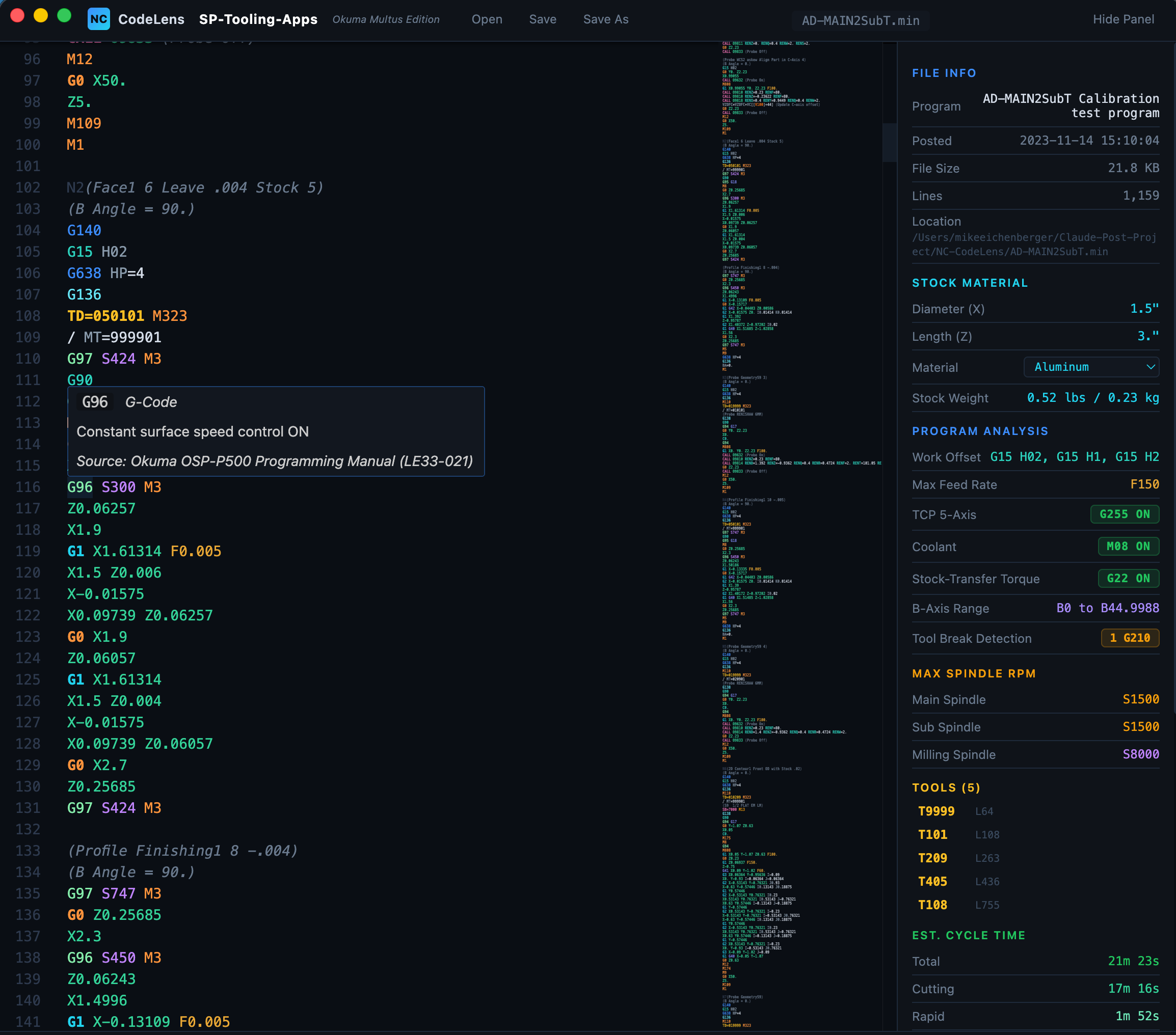
The full NC CodeLens interface — syntax-highlighted code on the left with hover tooltips explaining every G and M code, and a complete analysis panel on the right showing file info, stock material and part weight, program analysis, max spindle RPMs, tools used, and estimated cycle time.
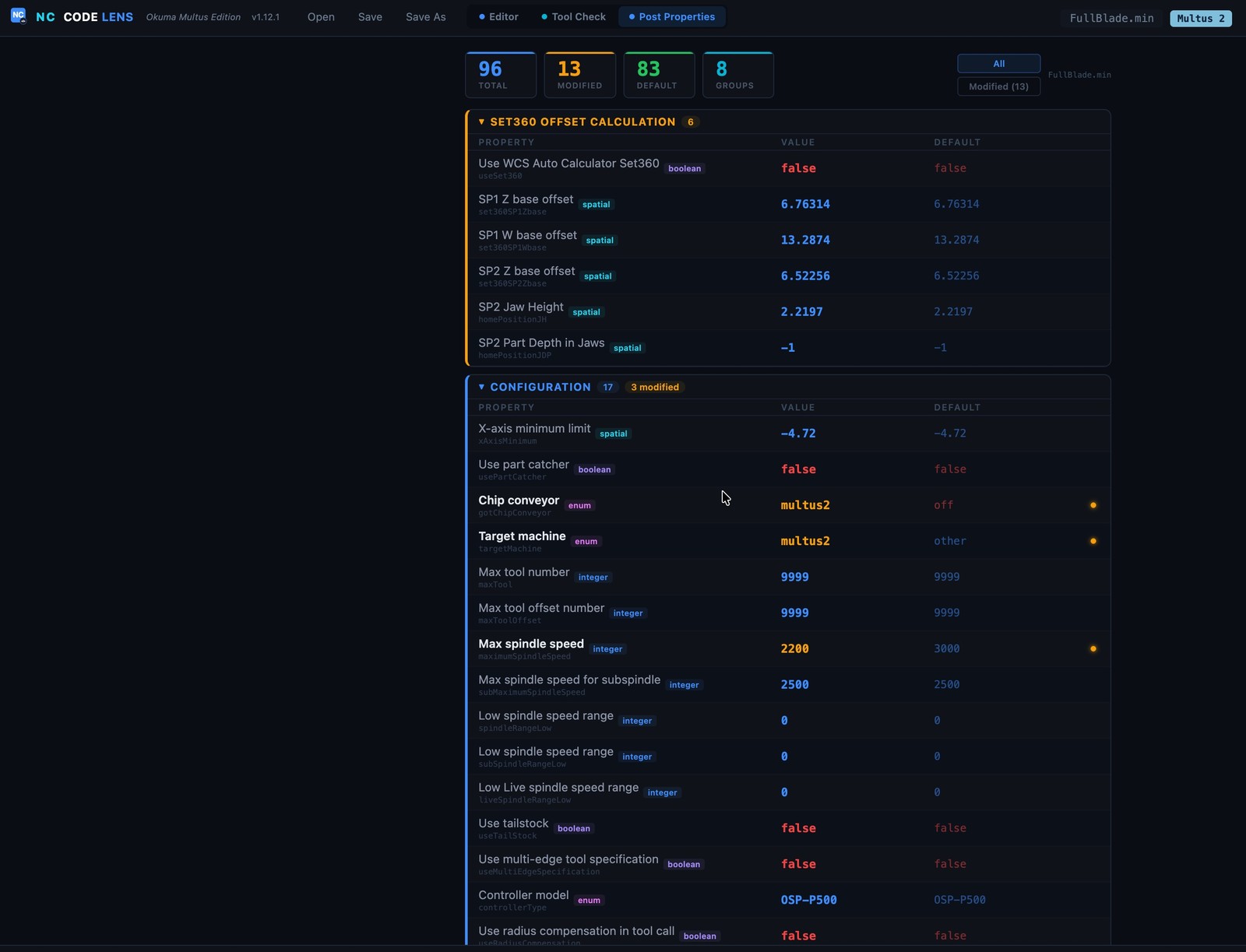
The Post Properties tab reads every setting baked into the posted program and lays it out by group — SET360 offset calc, configuration, formats, home positions, multi-axis, probing. Modified values are flagged against their defaults, so you can see exactly how a program was posted at a glance.
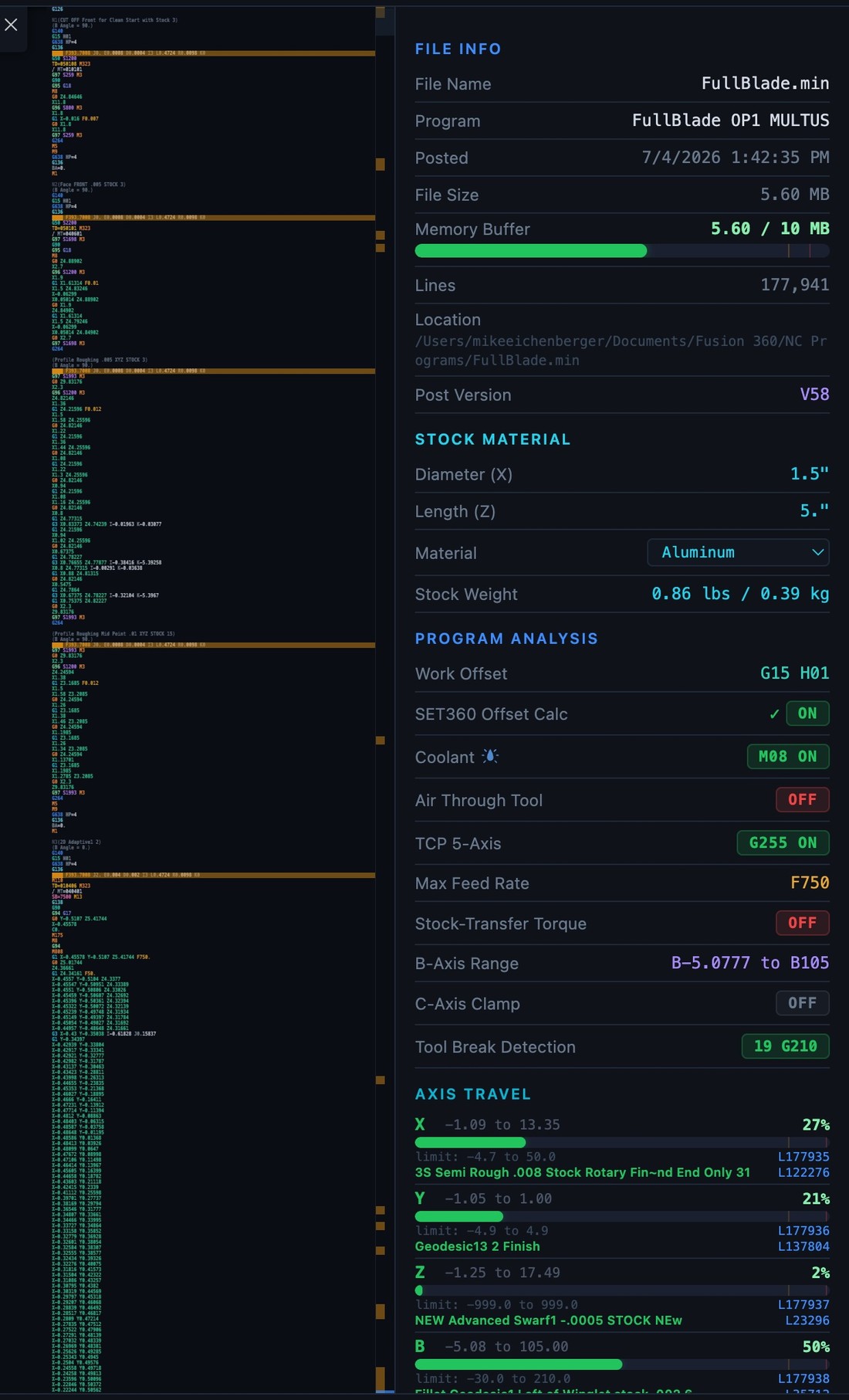
Stock, memory buffer, work offset, coolant, TCP, and B-axis range at a glance — plus per-axis travel bars that show exactly how much of the Multus envelope each axis uses and pulse a warning the moment a move would overtravel.
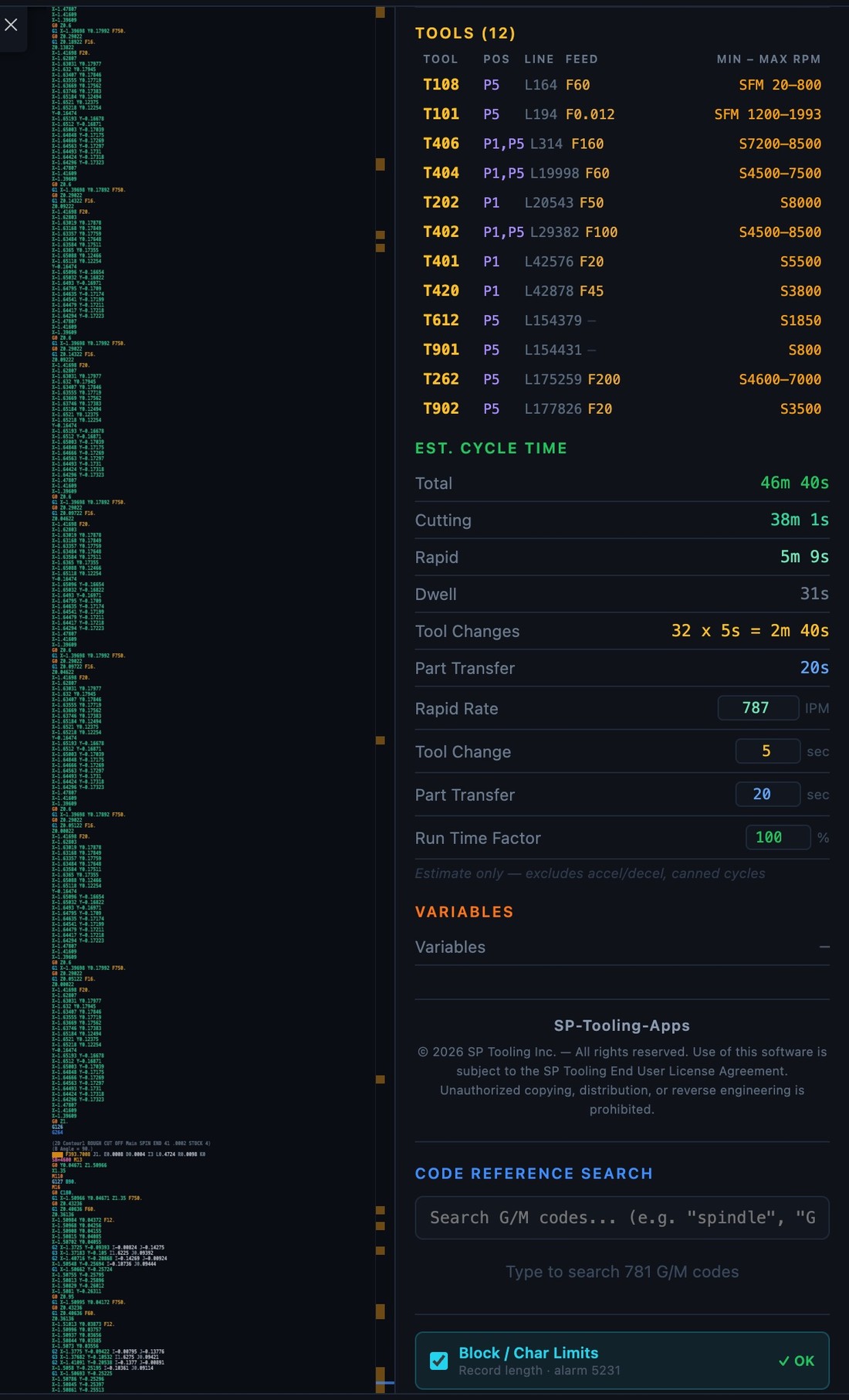
Every tool with its feeds and RPM range, a full cycle-time breakdown down to dwell and tool changes, the 781-code reference search, and a Block / Char-Limits check that catches OSP record-length alarms before they hit the control.
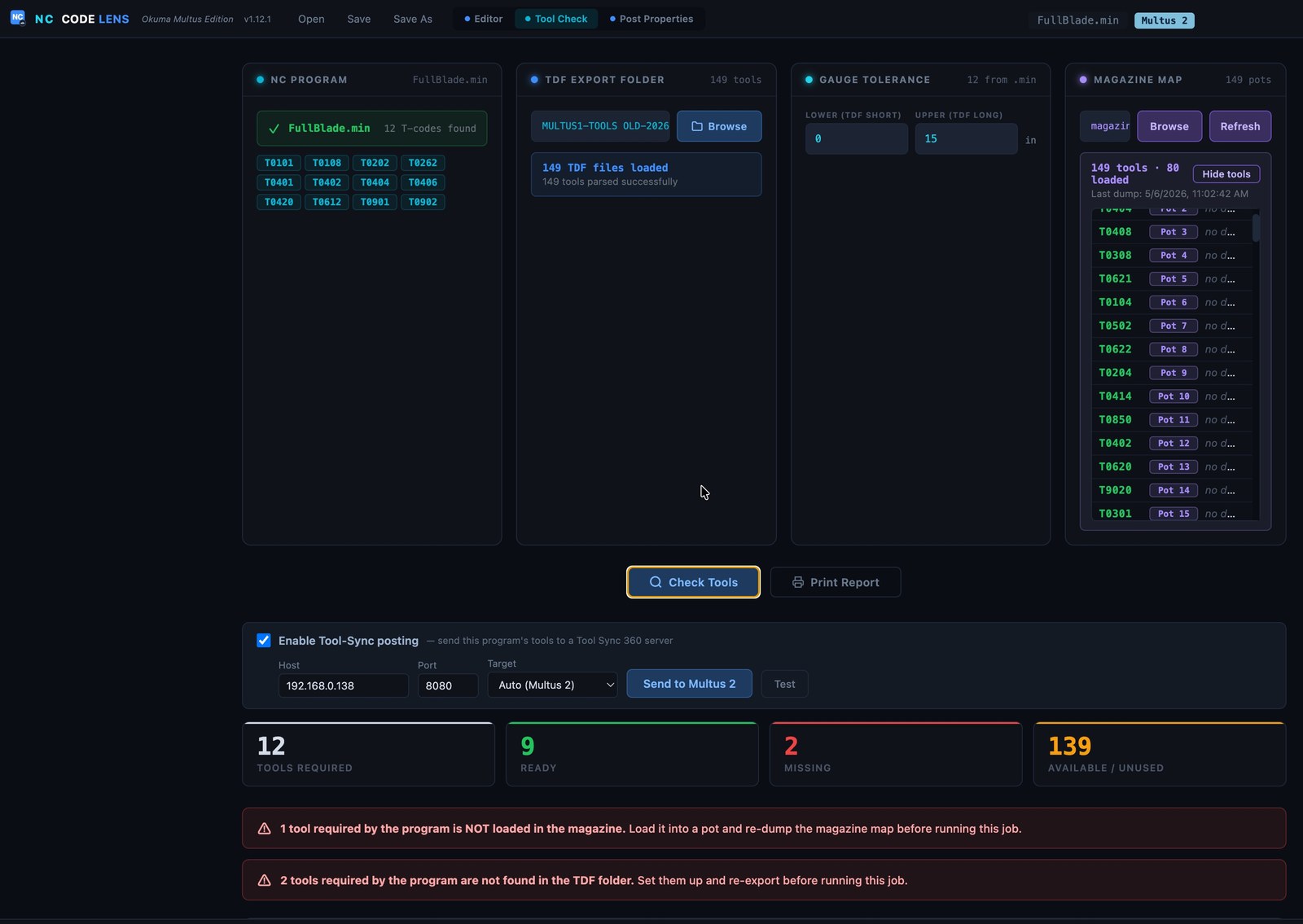
Load your program and TDF folder and NC CodeLens checks every required tool against the live magazine map from MagazineDumper — how many are loaded and ready, missing, or still sitting in the cabinet. It flags any tool that isn't in a pot or in the TDF export, and can post the whole tool list straight to a Tool Sync 360 server.
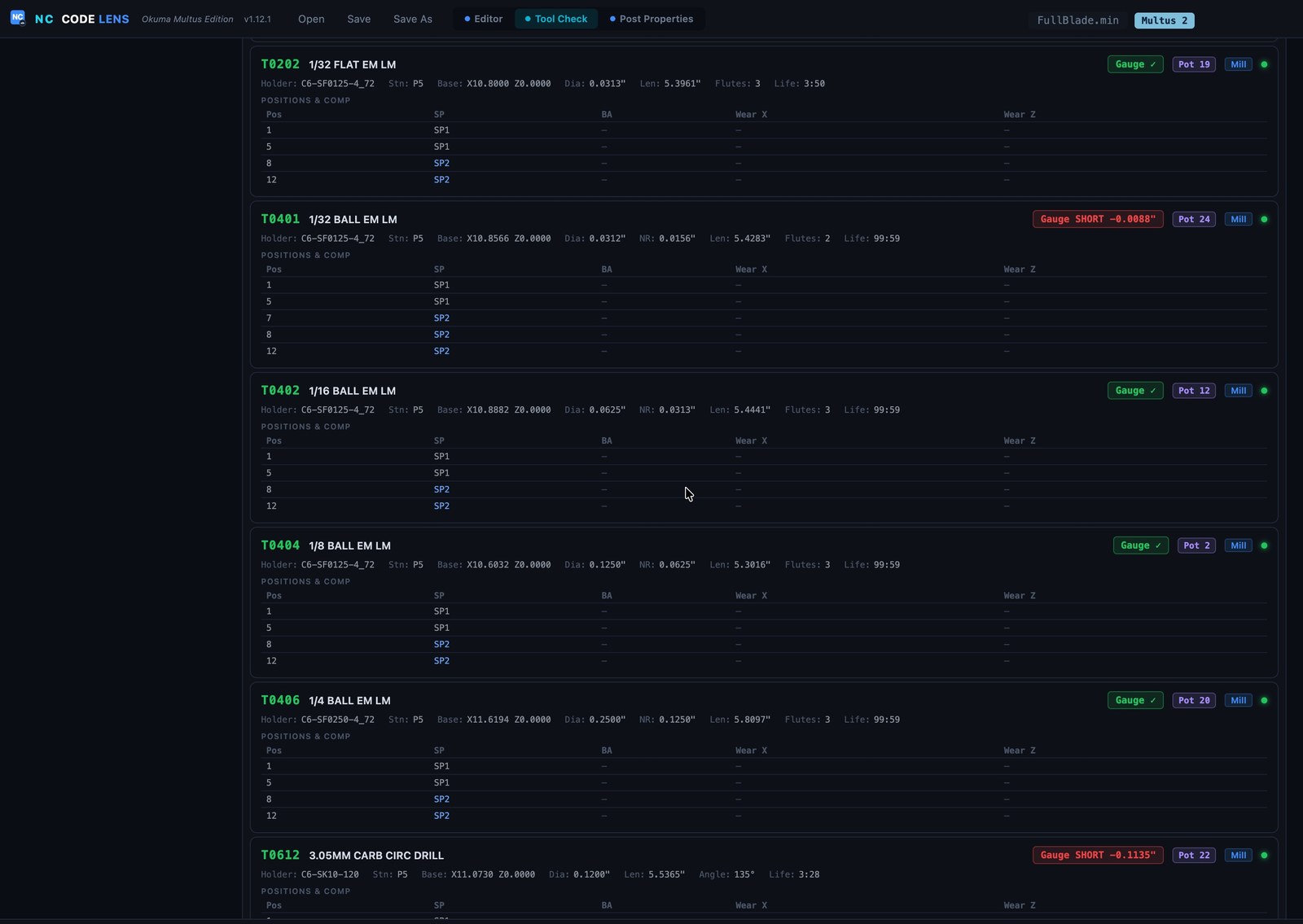
The detail view lists every tool with its holder, diameter, nose radius, flutes, life, pot, and per-position wear — and flags any tool gauged too short or too long against your tolerance with a red Gauge SHORT / LONG pill, so a mis-set tool never makes it to the cut.
Hover any line for its plain-English meaning, with the Okuma programming manual as the source. Then the tool check against the live magazine (6 of 6 tools loaded) and SET360’s twin-spindle work origins.
Watch NC CodeLens in action — hover explanations, real-time program analysis, stock weight calculation, and Autodesk Fusion integration all working together.
Get in touch for pricing, a demo, or to talk shop. Built by machinists — happy to talk machinist.
Thanks, we have your request. We will email you to set up a time.