← All products · Step 3 · Make

Tool Sync 360
MagazineDumper reads the magazine off the control; the Magazine Dashboard shows every pot live, in any browser.
▶ The 1-minute overview · captions, so it works with the sound off
← All products · Step 3 · Make
MagazineDumper reads the magazine off the control; the Magazine Dashboard shows every pot live, in any browser.
▶ The 1-minute overview · captions, so it works with the sound off
MagazineDumper · Tool Sync 360
Skip the manual TDF button-dance on the OSP screen. MagazineDumper reads every registered tool straight from the control and writes a complete magazine map — and it refreshes automatically every time the magazine changes.
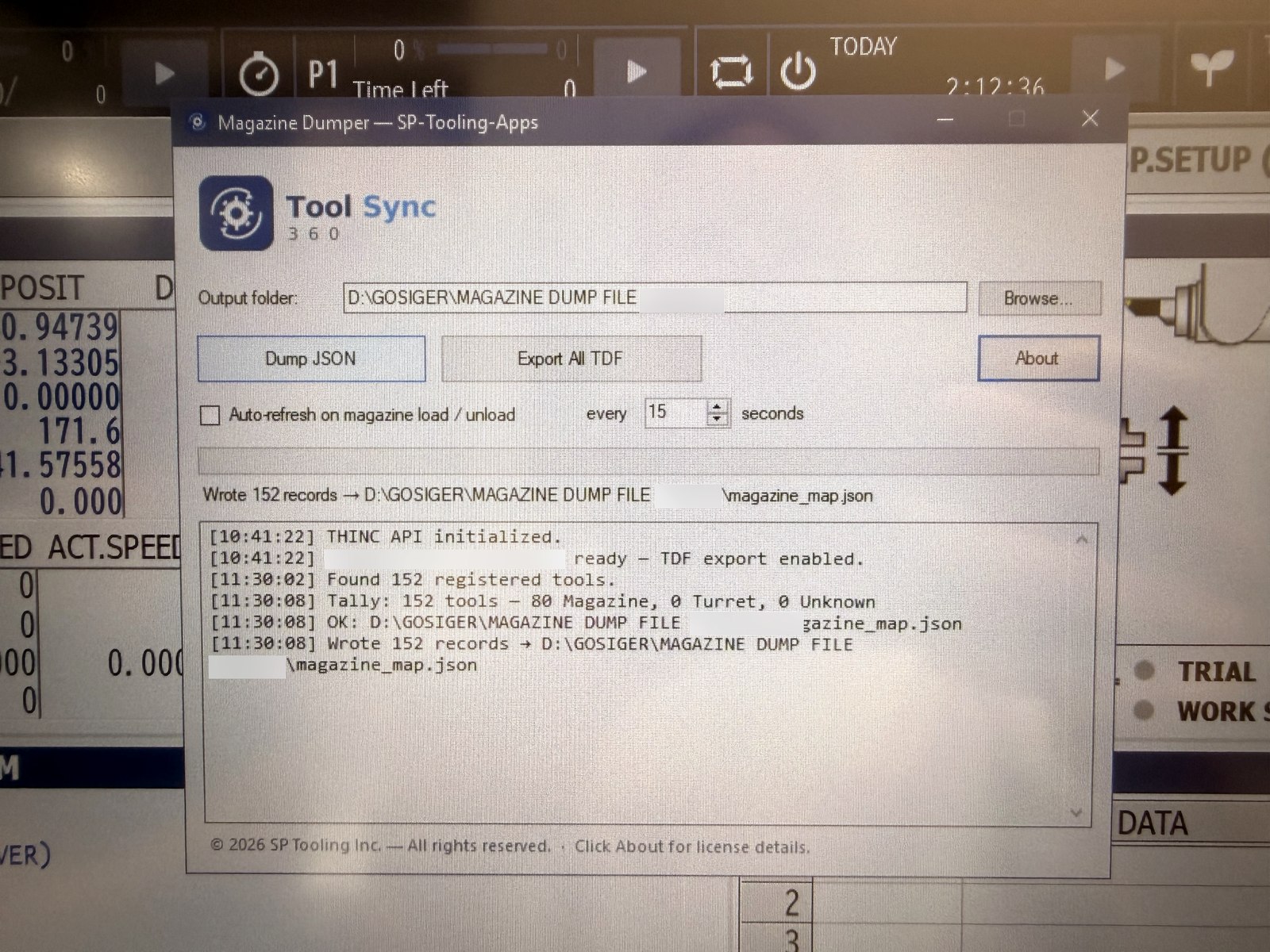
One click writes every magazine tool — comments, kinds, sizes, offsets, wear and life — to the magazine map and full tool data files, right on the machine control. Auto-refresh watches for magazine load/unload and keeps the map current, ready for NC CodeLens to read.

Tool Sync 360 · Light
A lightweight, always-on dashboard of your Multus tool magazine — every pot, tool, and offset, live. Open it in any browser on the shop network — a PC or an iPad on the floor — and let NC CodeLens and the Fusion TDF plugin read the same data.
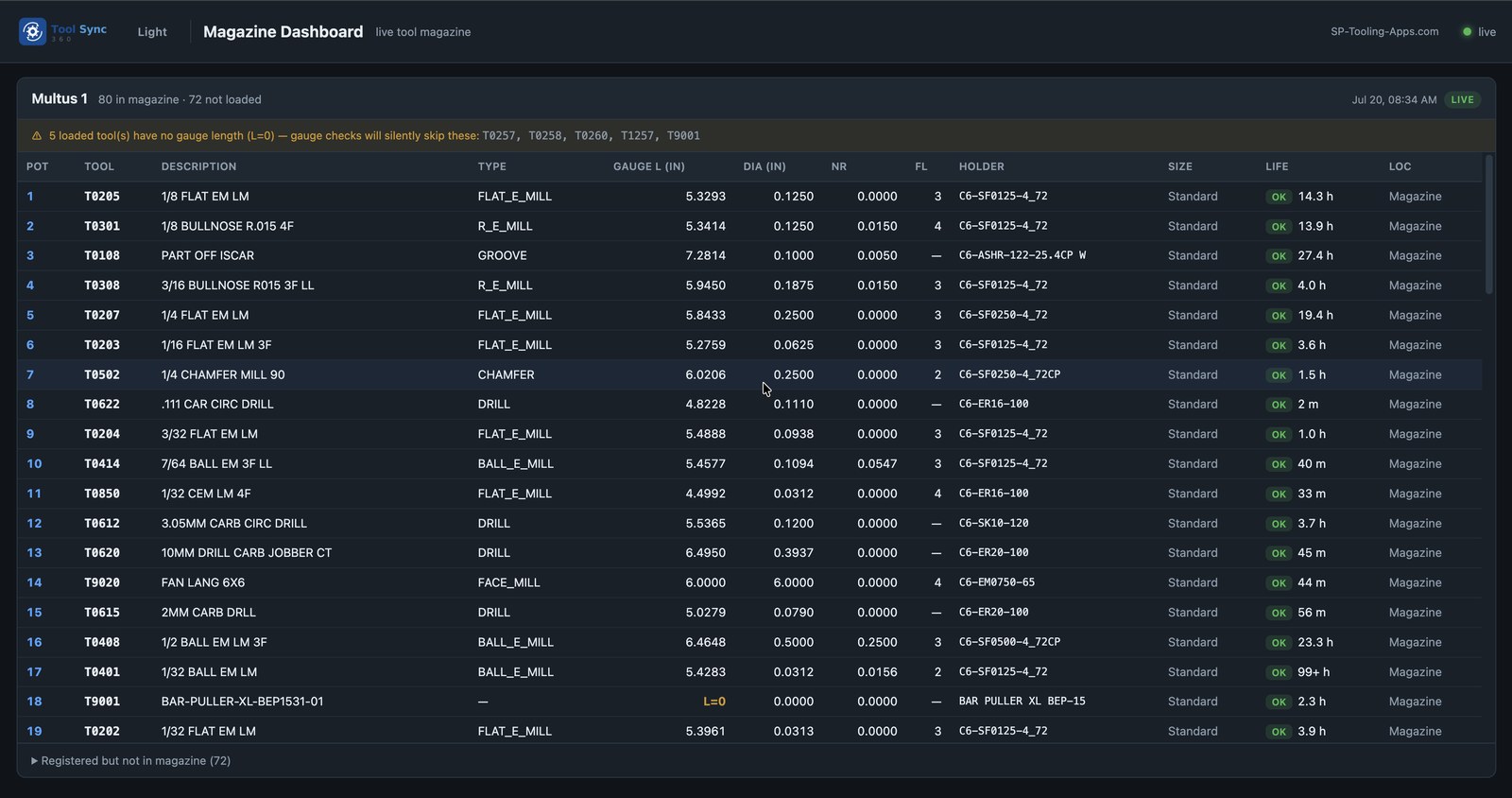
Every pot laid out with its tool, description, type, gauge length, diameter, nose radius, flutes, holder, life, and location. It flags tools with no gauge length that would silently skip a gauge check, and when a machine goes offline it keeps serving the last saved copy and refreshes automatically the moment it comes back.
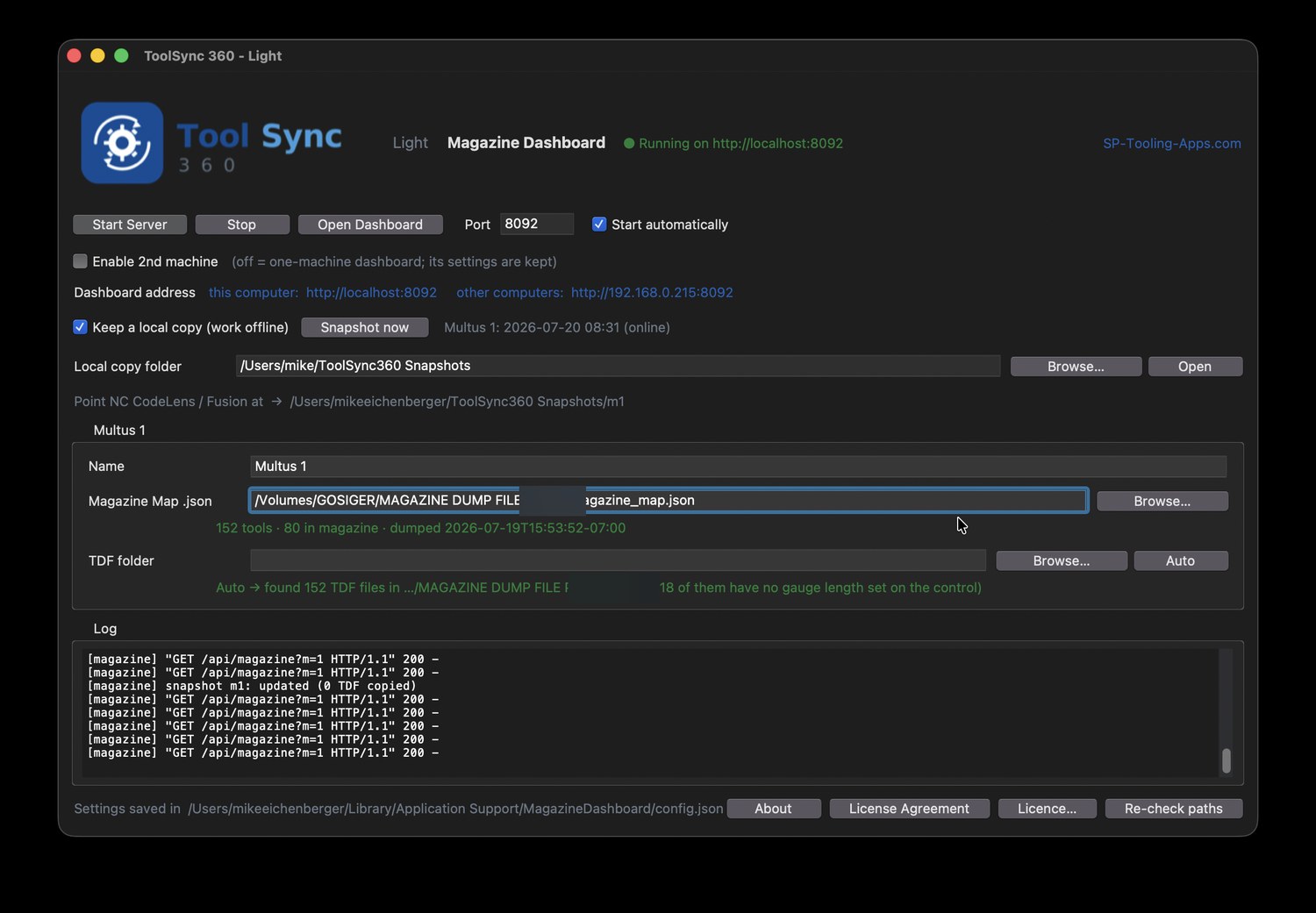
The desktop app points at your magazine map and serves the dashboard on a single address — open it from any computer or iPad on the shop network. Keep-a-local-copy lets it run offline from the last snapshot, and it hands NC CodeLens and Fusion a folder to read straight from.
Magnetic-mount a tablet on the Multus U3000 and keep the live magazine right in front of the operator — the same dashboard, live over the shop network, with nothing to install.
Get in touch for pricing, a demo, or to talk shop. Built by machinists — happy to talk machinist.
Thanks, we have your request. We will email you to set up a time.